How the page looks
Aa, in the top bar while you write, changes how the page looks. Nothing here changes your book; these are your settings, kept on your computer.
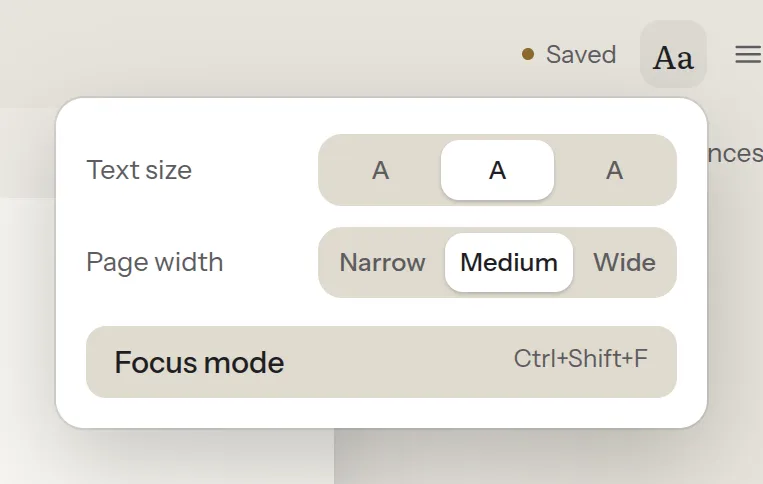
- Text size: three sizes of the page’s text.
- Page width: Narrow, Medium or Wide.
- Focus mode puts the chapter list and the references away and quiets the bars above the page, which come back when you reach for them. Press Escape, or Leave focus above the page, to come back. Ctrl+Shift+F (⌘⇧F) switches it on and off.
More room
Section titled “More room”The icon at the start of the row above the page hides the chapter list (Ctrl+\, ⌘\, in Story too); References at the end of the row shows or hides the references.
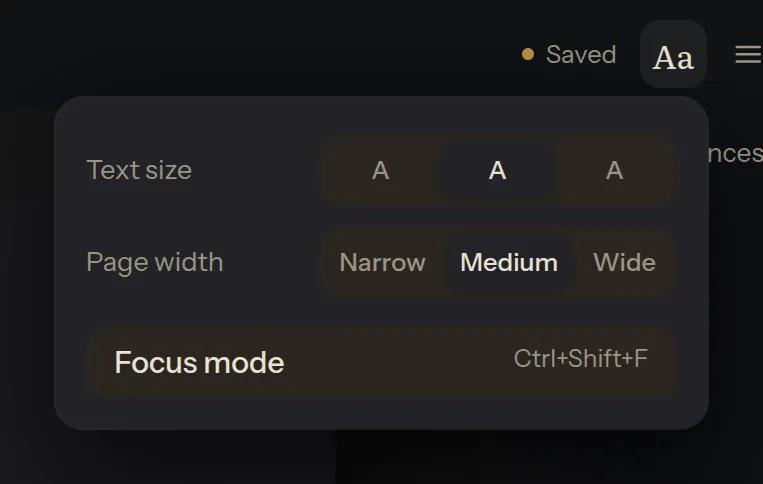
Light or dark
Section titled “Light or dark”☰ → Settings… → Theme: Light, Dark, or Match the system. The page, cursor and undo history stay as they were when you switch.