Backups
A backup is a copy of a whole book, saved as one zip file in a folder you choose. Plot Device saves one once a day, if you’ve changed anything, for each book you turn backups on for.
Turn them on
Section titled “Turn them on”The first time you close a book you’ve written in, Plot Device offers to keep backups of it. At any time, choose the book’s title at the top, then Backups…:
- Choose where to keep them. Choose a folder… opens the folder picker. If Plot Device finds a Google Drive, Dropbox or OneDrive folder on your computer, it offers it by name.
- The first backup is saved at once.
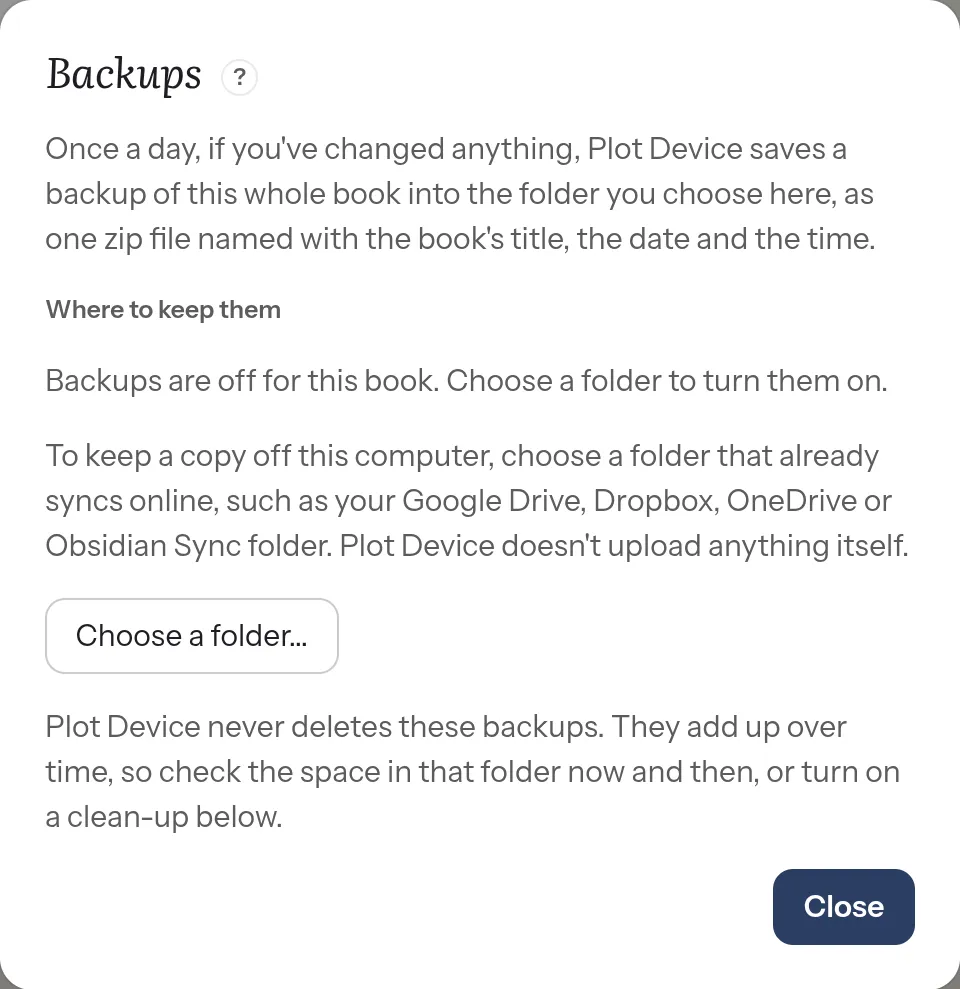
Each book has its own backup folder. One can go to Dropbox and another to a USB drive.
Keeping a copy off this computer
Section titled “Keeping a copy off this computer”Plot Device saves backups only on your computer. It doesn’t upload anything itself. To keep a copy somewhere else too, choose a folder that already syncs online, such as your Google Drive, Dropbox, OneDrive or Obsidian Sync folder. Your sync app then takes it from there.
What they’re called
Section titled “What they’re called”Each backup is named with the book’s title, the date and the time:
The Salt Orchard backup 2026-11-05 14.30.zipA zip file opens on any computer, so you can look inside a backup without Plot Device.
They’re never deleted
Section titled “They’re never deleted”Plot Device never deletes your backups on its own. They add up over time, so check the space in that folder now and then.
If you’d like Plot Device to tidy them, turn on a Clean-up in Backups…: remove backups older than a number of months, or keep only the newest few. A clean-up only removes the daily backups Plot Device saved itself. It never removes the newest one, or one you saved with Back up now, and it tells you when it removes any.
Back up now
Section titled “Back up now”Back up now, in the book menu, saves a backup straight away, for example before a big change. The book menu also shows when the last backup was saved.
Restore a backup
Section titled “Restore a backup”Choose the book’s title at the top, then Restore from a backup…. Choose a backup from the list, newest first, and Plot Device shows what’s different from the book now. Then:
- Open as a separate copy turns the backup into a book of its own, beside this one. Your book isn’t touched. This is the safest choice.
- Replace this book… puts the backup’s files back in this book. Before it does, Plot Device saves a backup of the book as it is now (“… before restoring …”), so you can go back from the same list. Anything you added since the backup stays.
And earlier versions?
Section titled “And earlier versions?”Separately, Plot Device keeps earlier versions of each chapter, outline and page as you work. They’re for undoing a change. Backups are for keeping the whole book safe.