
Skip to content

How Plot Device compares

How Plot Device compares

Your book. Your computer. Your language.

Plot Device is a calm writing studio for novels that keeps everything with you: no account, no AI, no one else's servers. Here is how it stands beside the tools writers use most.

What Plot Device does differently

Your book stays with you

Plot Device works on your computer. It needs no account and no internet, and it never sends your book to another service, so no company can read it, keep it or use it to train AI. Online writing apps keep your book on their servers, under their terms.
No AI reads your writing

Plot Device has no AI of its own. What you write is read by you, and by whoever you choose to share it with.

Files that outlast any app

Your book is a folder of ordinary text files, not a format only Plot Device can open. Open it in another app today, or in twenty years.

Backups that are yours

Backups are plain copies of your book in a folder you choose, on your computer or a drive you already sync. Plot Device never uploads them, and they open without it.

Hebrew and English

Every language, both directions

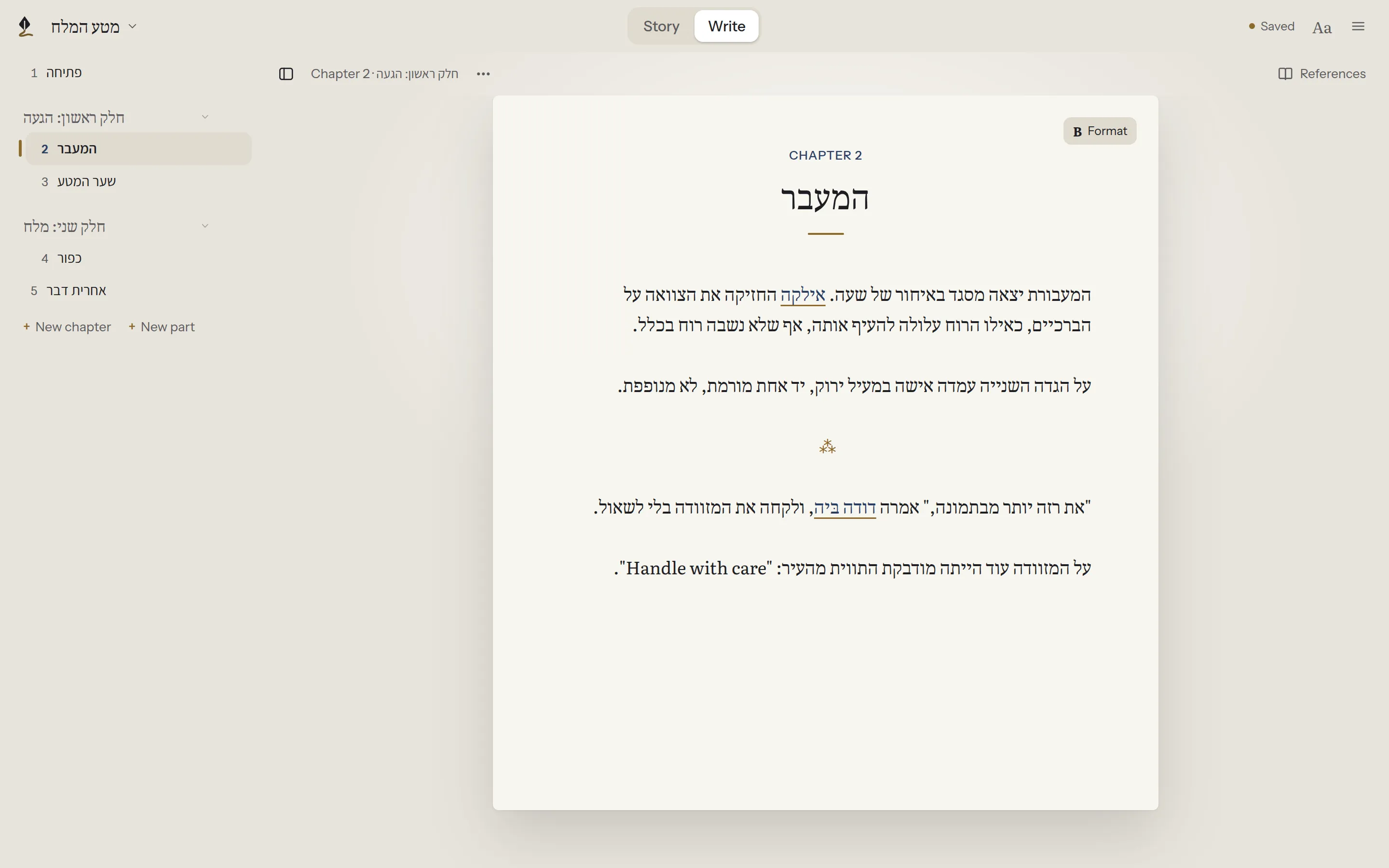
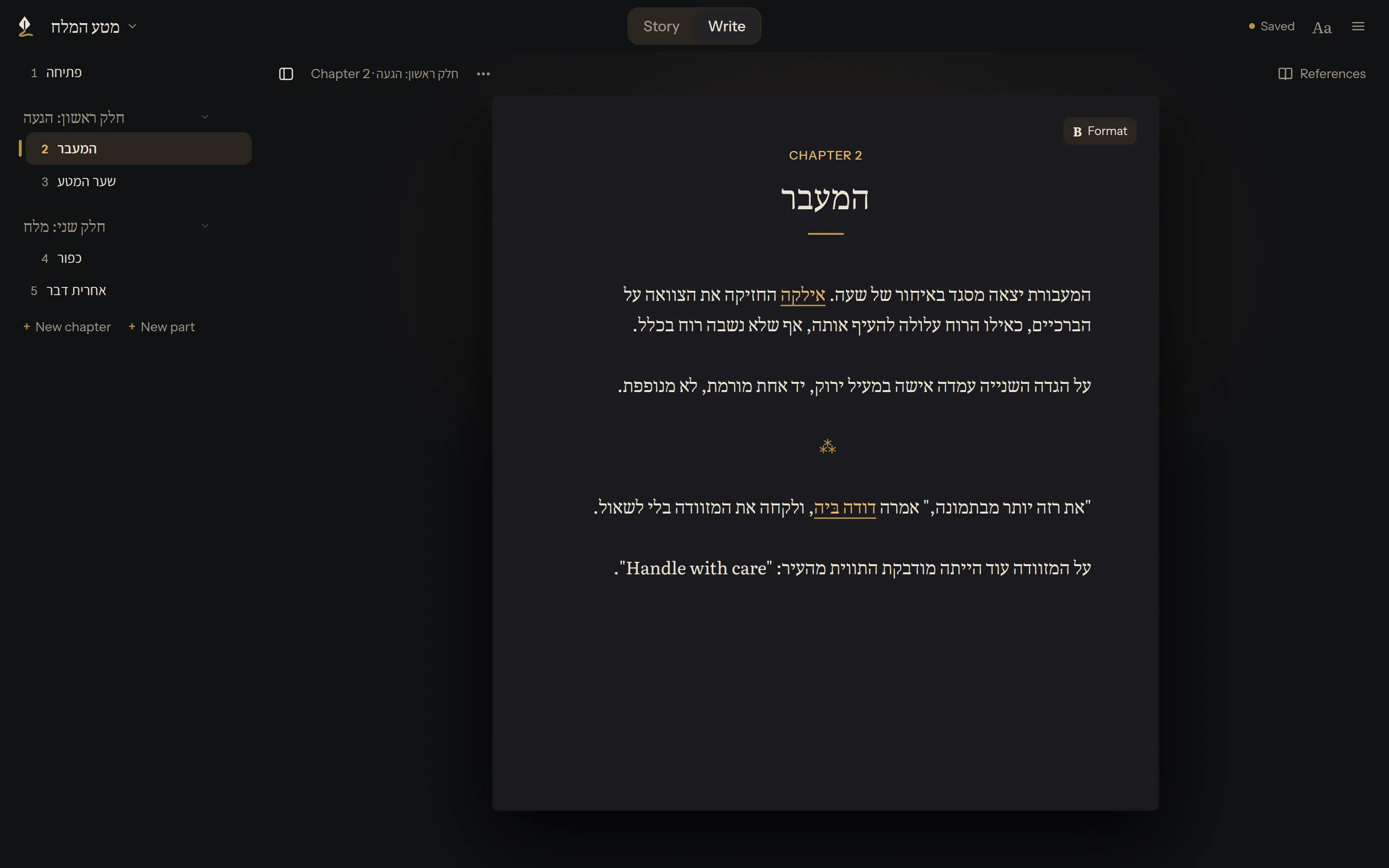
The menus come in English and Hebrew, and each new language is a translation away. Right-to-left writing, in Hebrew, Arabic or Persian, works paragraph by paragraph, even with English in the middle of a sentence.

A Hebrew chapter, right to left, in Plot Device's English interfaceA Hebrew chapter, right to left, in Plot Device's English interface

Every storyline

Made for novels

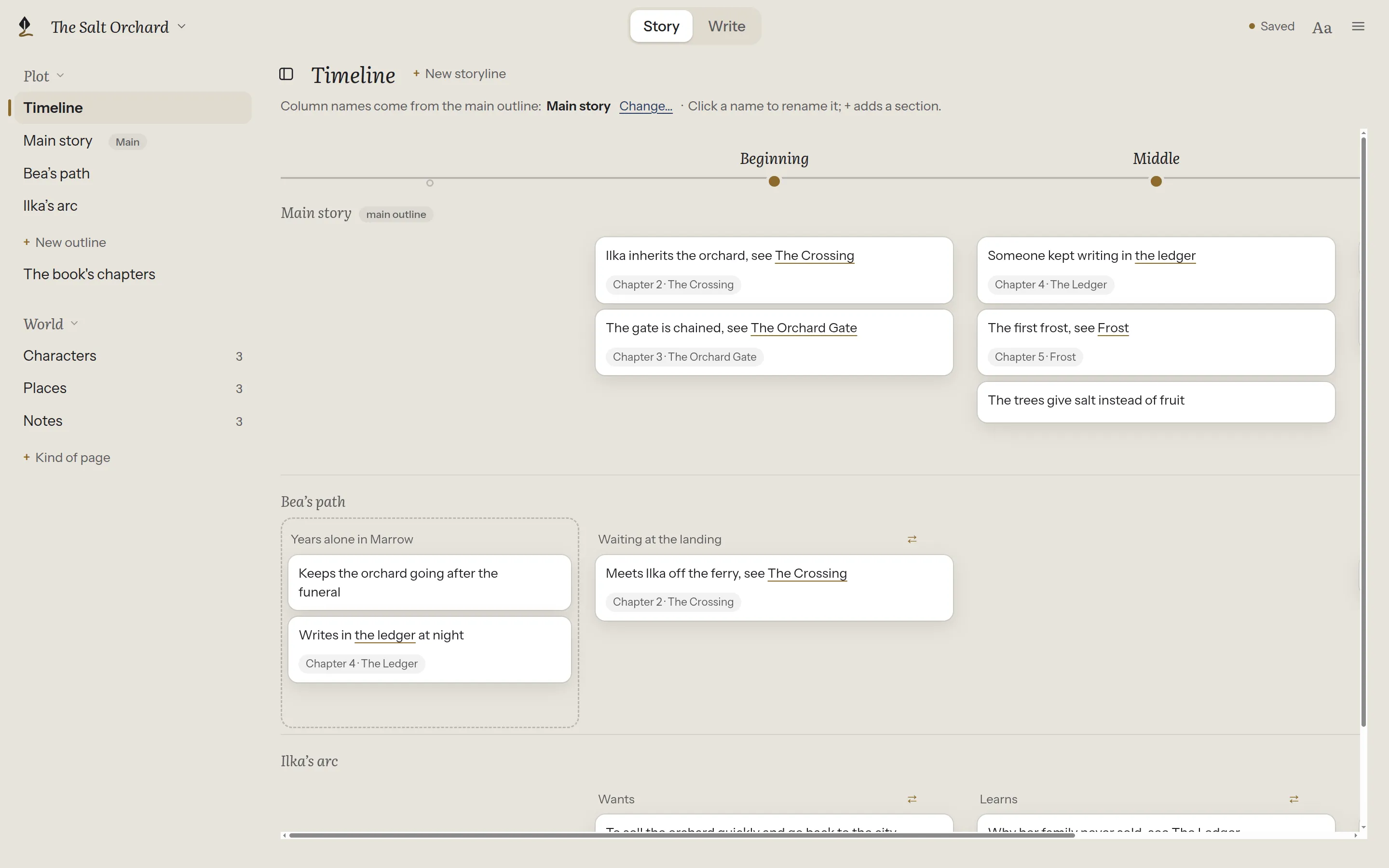
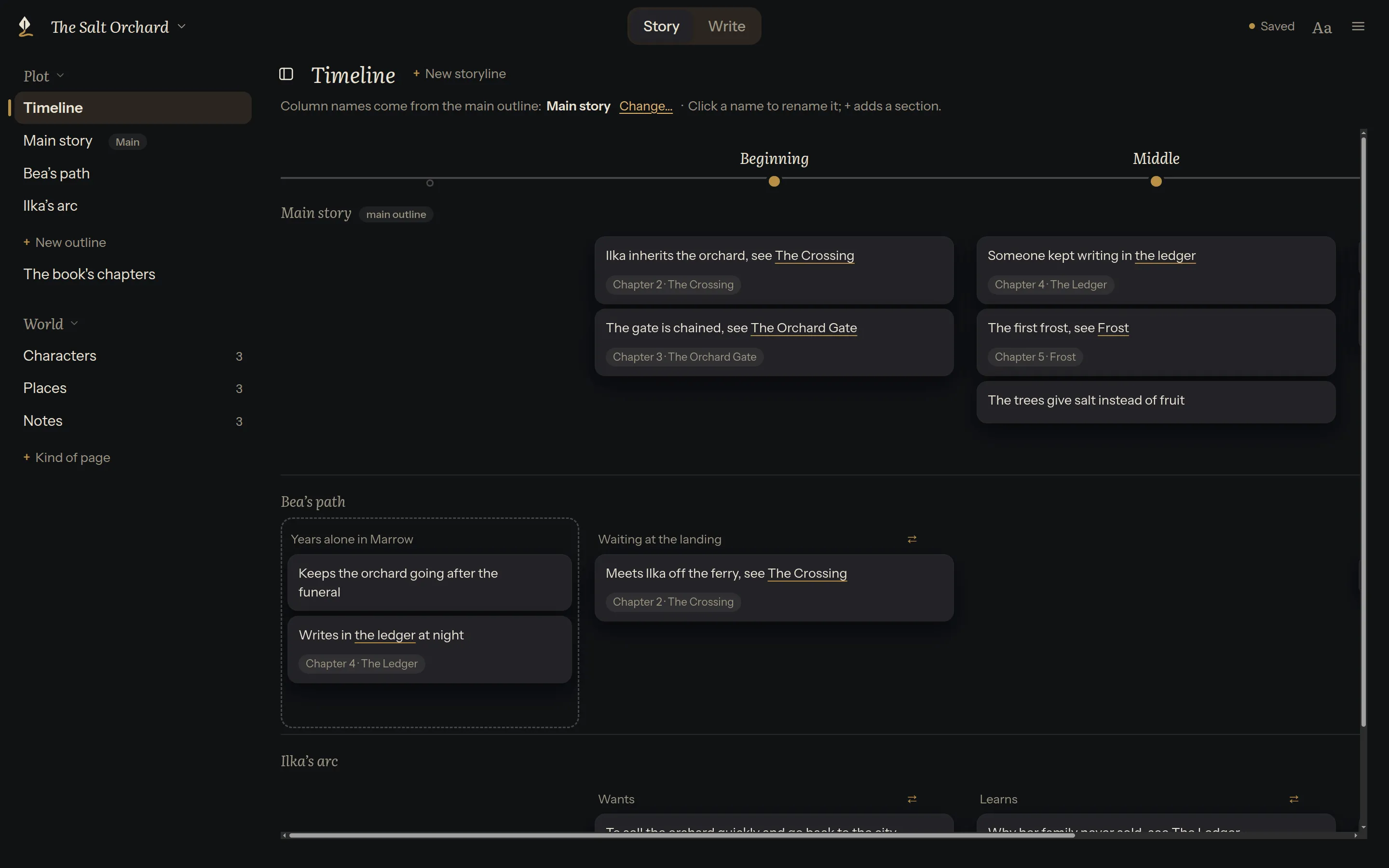
Outlines on a board, a timeline of every storyline, and pages for your characters and places, beside the page while you write.

The timeline: the main story on top, with Bea's path and Ilka's arc lined up under its momentsThe timeline: the main story on top, with Bea's path and Ilka's arc lined up under its moments

Side by side

Checked on 9 November 2026, from each company's own pages. Things change; if something here is out of date, please tell us.

Plot Device and seven other writing apps, compared
Plot DeviceGoogle DocsMicrosoft WordScrivenerDabbleNovelcrafterCampfireObsidian
Language
Menus and buttons inEnglish and Hebrew; built for moreMany languagesMany languagesSeveral (10 on Mac)English (no others documented)English (no others documented)English onlyMany languages
Right-to-left writing (Hebrew, Arabic, Persian…)YesYesYesPartlyNot documentedNoNot documentedYes (some rough edges reported)
Both directions in one paragraphYesYesYesProblems reportedNot documentedNoNot documentedPartly
Your writing
Where your writing is keptYour computerGoogle's serversYour computer or OneDriveYour computerYour device and Dabble's serversNovelcrafter's serversCampfire's serversYour computer
Works without an accountYesNoMicrosoft 365 needs oneYesNoNoNoYes
Works without internetYesIf you turn it onYesYesYes, and syncs laterNoIn the desktop appYes
No AI built inYesGemini, optional on some plansCopilot built in; can be turned offYesYesBring-your-own AI is centralNot documentedYes; plugins by others add it
Your book opens in other appsYes: plain text filesBy exportingYes: Word filesIts own format; exports to othersBy exportingBy exportingBy exportingYes: plain text files
Writing a novel
Runs onWindows (early), Linux; Mac comingWeb browser, phone and tablet appsWindows, Mac, phones and tablets, webWindows, Mac, iPhone and iPadWeb, and as an app on most systemsWeb onlyWeb, Windows, Mac, phonesWindows, Mac, Linux, phones and tablets
Planning toolsOutline board, timeline, characters and placesDocument outlineDocument outlineCorkboard, outliner, character sheetsPlot grid, characters, notesGrid, outline, codex, timelinesTimeline, characters, places, mapsCanvas; more with plugins
Brings in a Word fileYesYesYesYesYesYesYesNot built in
Saves as Word, PDF and EPUBAll threeAll threeWord and PDF (no EPUB)All threeWord (no PDF or EPUB)Word (no PDF or EPUB)PDF and EPUBPDF; more with plugins

"Not documented" means the company's own pages don't say, so the table doesn't guess.

Work on the book you already have

Already writing in Word or Google Docs? Import your manuscript as a Word file, and Plot Device splits it into chapters, showing you how before anything is made. Your Word file is never changed.

How importing a Word file works

Use it with your existing book.

Import a Word file, or start a new book. Your files are always yours.

Sources

Each answer comes from the company's own pages, checked on the date above.

Google Docs
support.google.com/docs/answer/65166
support.google.com/docs/answer/6388102
support.google.com/docs/answer/14206696
support.google.com/docs/answer/14615114
workspaceupdates.googleblog.com/2016/03/export-google-docs-files-as-epub.html
Microsoft Word
support.microsoft.com/en-us/office/language-accessory-pack-for-microsoft-365-82ee1236-0f9a-45ee-9c72-05b026ee809f
support.microsoft.com/en-au/office/languages/using-right-to-left-languages-in-office
support.microsoft.com/en-us/privacy/copilot-in-microsoft-365-apps-for-home-your-data-and-privacy
support.microsoft.com/en-us/office/how-to-turn-off-copilot-in-microsoft-365-family-and-personal-subscriptions-bc7e530b-152d-4123-8e78-edc06f8b85f1
learn.microsoft.com/en-us/answers/a/12518002
Scrivener
literatureandlatte.com/scrivener/overview
literatureandlatte.com/blog/how-to-change-scriveners-interface-language
forum.literatureandlatte.com/t/rtl-text-in-line-with-ltr/150950
forum.literatureandlatte.com/t/compiling-documents-with-mixed-rtl-ltr-scripts-for-docx/145752
scrivener.tenderapp.com/help/kb/general/does-scrivener-use-ai
Dabble
dabblewriter.com/docs/apps-sync-offline
dabblewriter.com/docs/apps-sync-offline/how-sync-works
dabblewriter.com/docs/import-export-printing
dabblewriter.com/docs/import-export-printing/export-your-manuscript
dabblewriter.com/docs/reference/dabble-is-ai-free
Novelcrafter
novelcrafter.com/help/faq/general/language-compatibility
novelcrafter.com/help/faq/general/can-i-use-nc-in-ofline-mode
novelcrafter.com/help/faq/ai-connections/does-novelcrafter-provide-its-own-ai
novelcrafter.com/help/docs/export/novel
novelcrafter.com/features
Campfire
campfirewriting.com/faq
campfirewriting.com/apps
campfirewriting.com/word-processor
Obsidian
docs.obsidian.md/Plugins/User+interface/Right-to-left
github.com/obsidianmd/obsidian-translations
forum.obsidian.md/t/feature-request-improved-right-to-left-rtl-language-support/106103
obsidian.md/help/import
obsidian.md/help/pdf
obsidian.md/privacy